What is a context document?
Your work has rules, language, and people that AI knows nothing about. A context document fills that gap.
Create your context document
Download the template, then use these prompts to fill it in with AI.
1. Download context document
2. Set up context document
You are helping me create a context document for AI work. Use this template and fill it in together with me by asking questions section by section. TEMPLATE: --- # Title: [Work process name] ## 1. Organisation and role Where do you work and what is your role? ## 2. Work process Which work process are you describing? Describe it in 3 steps. Step 1: Step 2: Step 3: ## 3. Desired result What: which document, presentation, product or decision? Who: who is it for? Quality: when is it good? ## 4. Guidelines Terms: Rules: Note: --- METHOD: Start with section 1. Ask me 2-3 questions per section. Wait for my answer and then fill in that section. Then move on to the next section. Be friendly and give examples if something is unclear. It doesn't need to be perfect: just usable for AI. Ready? Start with section 1.
3. Improve context document
My context document is attached. Ask me three short questions to improve it, one at a time. Ask about what is missing or too vague: who it is for, what the result should look like, which terms and rules apply. Skip what is already good. Don't rewrite my document. After my third answer, turn my answers into full sentences and say which heading each sentence belongs under. Stay close to my words. Start with only the first question.
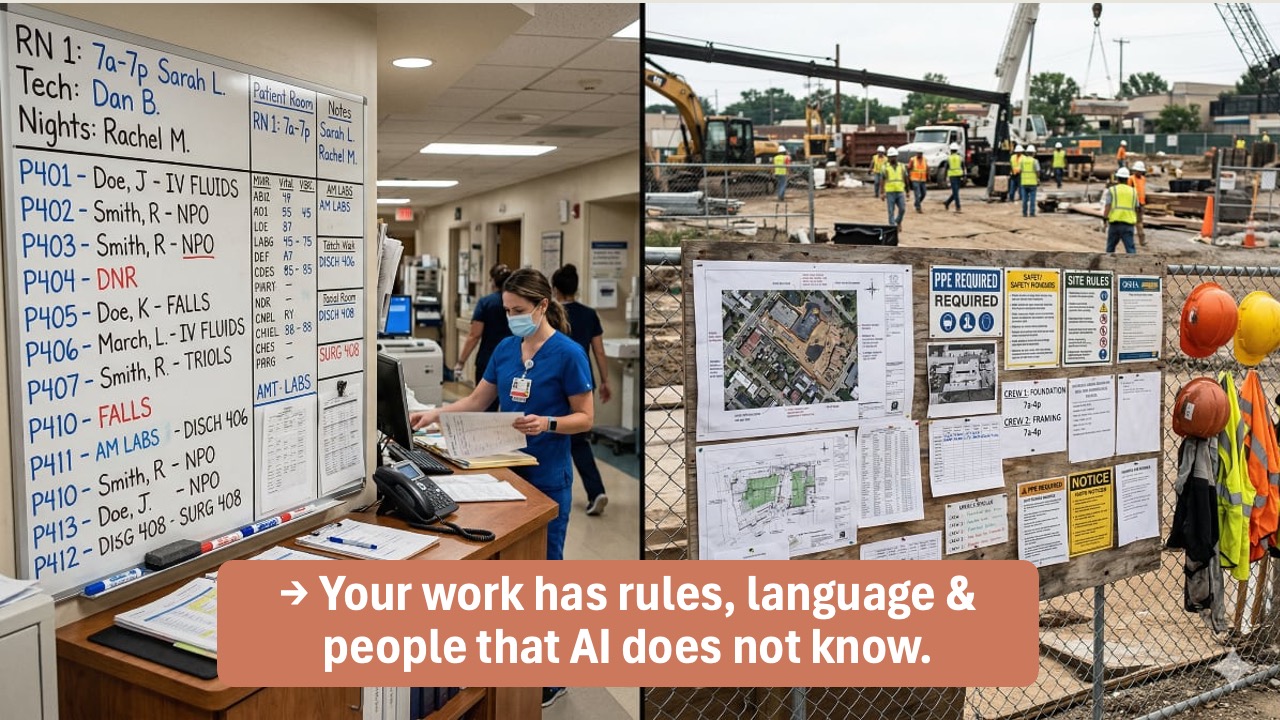
The solution is straightforward: write down what AI needs to know in a document, and attach it to your prompt. That document is called a context document.
What is it?
A structured text file with detailed information for a role, process or project. AI reads it in one go and uses it consistently.
You can write one at three levels, from narrow and personal to broad and shared:
You
Your role, a process that recurs, how you work.
Your team
Who does what, which agreements apply, how you write.
The product or service
What it is, for whom, which words you do and don't use.
Same prompt, one context document added
Minutes of the MT meeting at ConnectNL, the example organisation from the training. The prompt stays the same, only the context document is added.
Without context
 transcript-110326.docx
 Turn this transcript into the minutes of the MT meeting.
MT meeting report
The Q1 figures were discussed. Overall it went well and there were more users added. There was also a service degradation discussed.
No decisions, no actions, wrong words.
With context document
transcript-110326.docx context-mt.docx Turn this transcript into the minutes of the MT meeting.
Decisions
- Hire temporary staff. Marco, 18 Mar.
- GlasCon as contractor from May. Pieter.
Action points
- GlasCon contract. Pieter, Friday.
- [CONFIDENTIAL] Sick leave: separate memo.
Decisions and actions with an owner and date, the right words.
What goes in it?
Four headings, the same as in the template. This is what the ConnectNL context document looks like.
context-mt.docx Context: MT meeting minutes
1. Organisation and role
Where do you work? What is your role?
Sanne de Wit, MT staff officer at ConnectNL in Utrecht. I support the Operational MT of five people with meeting preparation, minutes and follow-up on action points.
2. Work process
What is the process? Describe it in 3 steps.
I write the minutes of the MT meeting every two weeks.
- Gather agenda and documents
- Take minutes, record decisions and actions
- Distribute within 24 hours
3. Desired result
What does the end product look like?
Minutes of max. 2 pages: decisions list (what, who, when), action points with owner and deadline, max. 3 sentences per topic. For Linda Bakker, Director of Operations, and the other four MT members.
4. Guidelines
Jargon, guidelines, do's and don'ts
Terminology: always "customers", never "users".
Rule: sensitive points get the label [CONFIDENTIAL].
Note: spell out abbreviations in full on first use.
Specific to your work
On top of the basics, add the details that make your situation different: jargon, rules, stakeholders, constraints, examples, and scenarios. What that looks like depends on your field.
Hospital
- Jargon: DNR, NPO, IV fluids, attending vs. resident, triage categories
- Rules: patient privacy regulations, medication protocols, handover procedures
- Stakeholders: attending physician, nursing staff, pharmacy, patient's family
- Constraints: 24/7 shift rotation, max patient-to-nurse ratio, formulary restrictions
- Examples: a good discharge summary vs. one missing medication changes
- Scenarios: shift handover, writing a referral letter, preparing a case presentation
Marketing agency
- Jargon: CTR, ROAS, above-the-fold, brand book, A/B test, conversion funnel
- Rules: brand voice guidelines per client, approval workflows, media deadlines
- Stakeholders: account manager, creative director, client's marketing lead
- Constraints: campaign budget, platform character limits, legal disclaimers
- Examples: a social post that matches brand voice vs. one that's off-brand
- Scenarios: writing campaign copy, preparing a client pitch, drafting a content calendar
Construction company
- Jargon: RFI, punch list, load-bearing, rebar, change order, shop drawings
- Rules: building codes, safety regulations, environmental permits, inspection schedule
- Stakeholders: project manager, site foreman, architect, subcontractors, municipality
- Constraints: weather windows, permit timelines, budget contingency, noise ordinances
- Examples: a clear daily site report vs. one missing safety incidents
- Scenarios: writing a progress report, preparing a change order, documenting a safety incident
Government / municipality
- Jargon: policy brief, council motion, public consultation, zoning plan, subsidy framework
- Rules: freedom of information laws, accessibility requirements, procurement rules
- Stakeholders: alderman, council members, department heads, citizens
- Constraints: political sensitivity, coalition agreements, budget cycle deadlines
- Examples: a well-structured council memo vs. one with unclear recommendations
- Scenarios: drafting a policy brief, answering council questions, writing public communications
Finance / accounting
- Jargon: EBITDA, accruals, ledger accounts, cost centers, fiscal year, audit trail
- Rules: accounting standards (IFRS/GAAP), tax deadlines, audit requirements
- Stakeholders: CFO, external auditor, tax advisor, department budget holders
- Constraints: reporting deadlines, decimal precision, reconciliation thresholds
- Examples: a clear variance analysis vs. one missing explanations for deviations
- Scenarios: monthly closing report, budget forecast, preparing audit documentation
Your prompt gets shorter
Without a context document you type everything again each time. With one, you attach the file and only write the task, plus the source for that specific task.
Everything in your prompt
Turn this transcript into the minutes of the MT meeting.
The minutes of ConnectNL's fortnightly MT meeting, sent to the five MT members within 24 hours of the meeting. I support the Operational MT of a telecom provider with 2.5 million customers, as a staff officer. Fixed structure: decisions list (what, who, when), action points with owner and deadline, maximum 3 sentences per topic. Always 'customers', never 'users'. No technical jargon. Conclusion first, maximum 2 pages.
Prompt with context document
context-mt.docx Turn this transcript into the minutes of the MT meeting.
Context and output now live in the document. Only the task stays in your prompt.
Write once, use for every task
The same context document works for every task in that process.
context-mt.docx
Written once.
Who, what, for whom, how.
- Turn this transcript into the minutes of the MT meeting.
- Write an email to the MT about the delay at TeleBouw.
- Create an onboarding plan for a new colleague.
- Summarise this quarterly report for the MT.
- Draft the agenda for Tuesday's meeting.
- Turn last time's action points into a status overview.
Happy with the result? Save your prompt and your context document together, for example in one folder per process in OneDrive. When the process changes, update the document.