Set up Copilot › Outlook
Outlook
In Outlook you set separately how Copilot writes your emails: tone, length and greeting.
Set it up in four steps
- 1
In Outlook, click the gear icon in the top right (Settings).
- 2
Choose Copilot › Draft instructions.
- 3
Turn on Use custom instructions when drafting email and paste your instructions into the text box.
- 4
Test it. Have Copilot draft an email. What do you still change? Add that to your instructions.
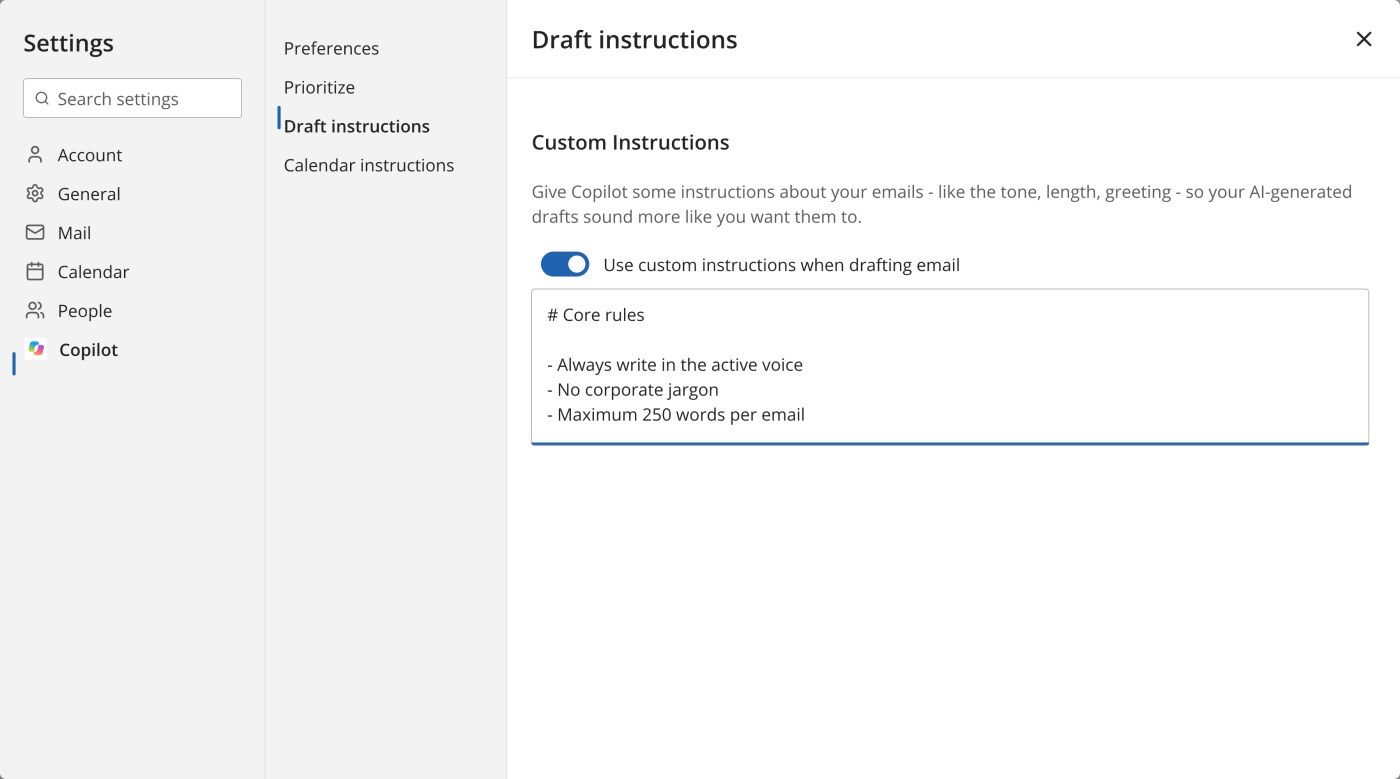
Start with this template
Copilot uses these instructions for every email it drafts for you. So only put in what applies to almost all your emails.
Fill in the orange parts. You can leave the rest as it is.
I mostly email [colleagues, clients, partners].
Start with [greeting] and end with [sign-off].
Write in the active voice, without jargon.
Keep emails under [150] words.
Put the point of the email in the first sentence.
How others do it
Three colleagues, three different sets of email instructions. Copy what fits you and make it your own.
HR adviser healthcare organisation
I mostly email managers and employees, often about sensitive topics.
Write in a friendly and careful tone.
Put the point of the email in the first sentence.
Don't mention health information or other personal details.
Start with "Dear" and the first name. End with "Kind regards," and my first name.
Project manager IT services company
I mostly email my project team and the client.
Put the point of the email in the first sentence. Keep emails under 120 words.
Put agreements in a short list with who, what and when.
End with one clear question or next step.
Start with "Hi" and the first name. End with "Best," and my first name.
Engineer bridges and viaducts
I mostly email clients and contractors.
Write in a formal, direct tone.
Briefly explain a technical term if the reader is not an engineer. Give the unit with every number.
Start with "Dear Mr" or "Dear Ms" and the surname. End with "Yours sincerely," and my full name and job title.
Keep in mind
This is separate from Copilot Chat. These instructions only apply to drafts in Outlook. You set your custom instructions for Copilot Chat separately.
Read every draft before you send it. Check names, dates and numbers in particular.